Today
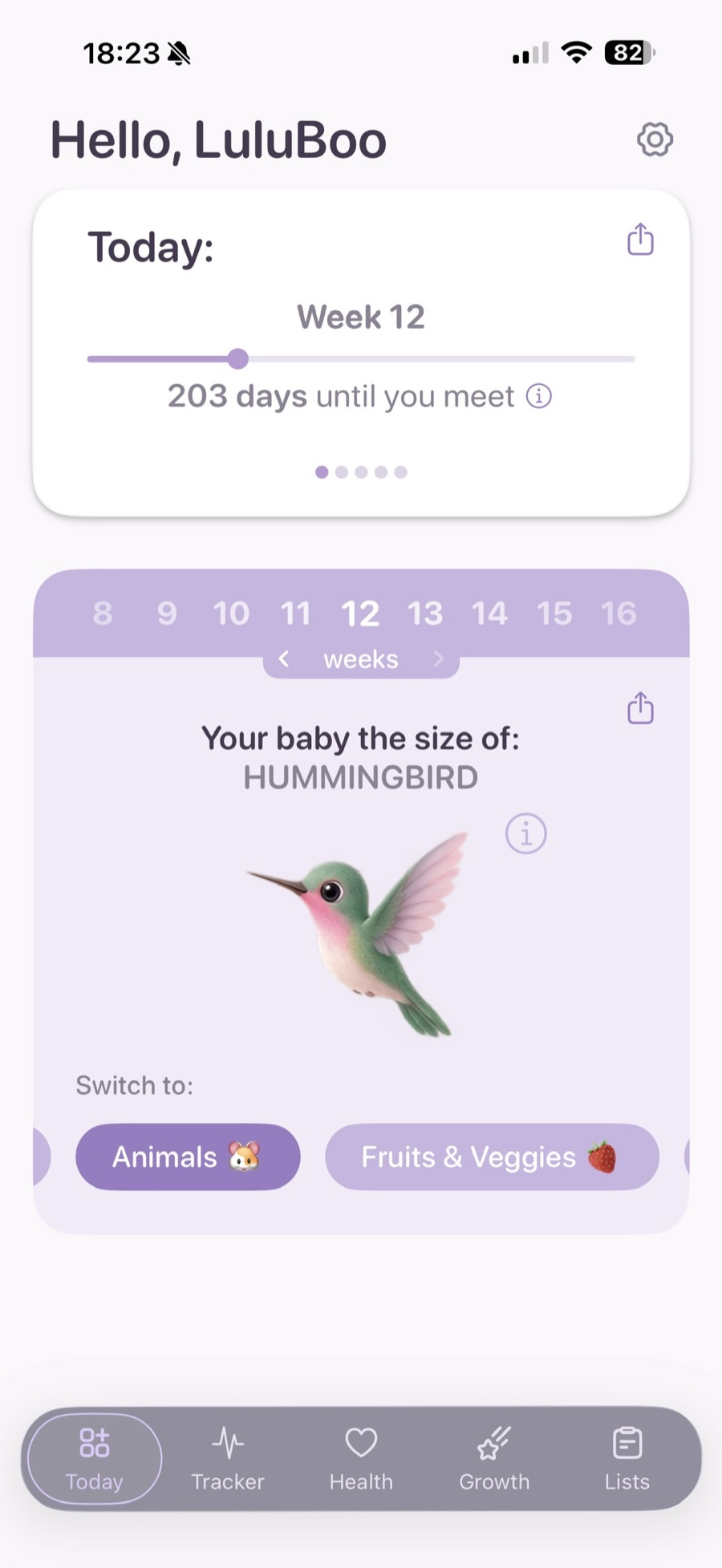
Your week, a progress bar, the days until you meet, three pieces of writing for the week you are in, and the size comparison card.
Follow your baby’s growth, keep track of important changes, and enjoy every little moment along the way.
Free to download. No account, no sign-up - and nothing you enter ever leaves your phone.
Today
The signature feature
See how your baby grows week by week with simple updates, adorable size comparisons, and beautiful milestones.

Your baby the size of:
Banana
Six weeks are shown here as a sample. Weeks 1 and 2 share a “?” silhouette on purpose - there is nothing to compare to yet.
Five tabs
Discover gentle weekly updates, keep track of how you’re feeling, and find simple tools to help you feel prepared.
Your week, a progress bar, the days until you meet, three pieces of writing for the week you are in, and the size comparison card.
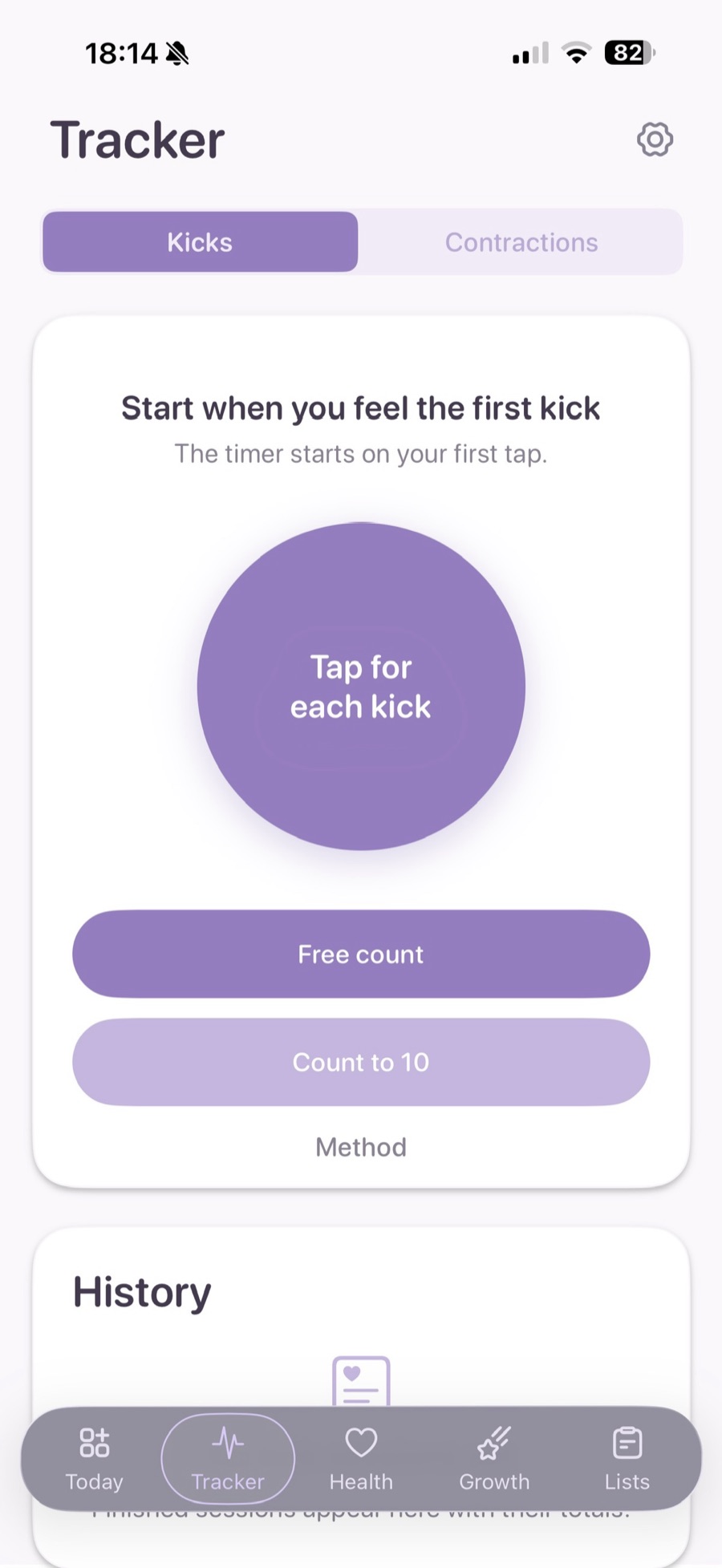
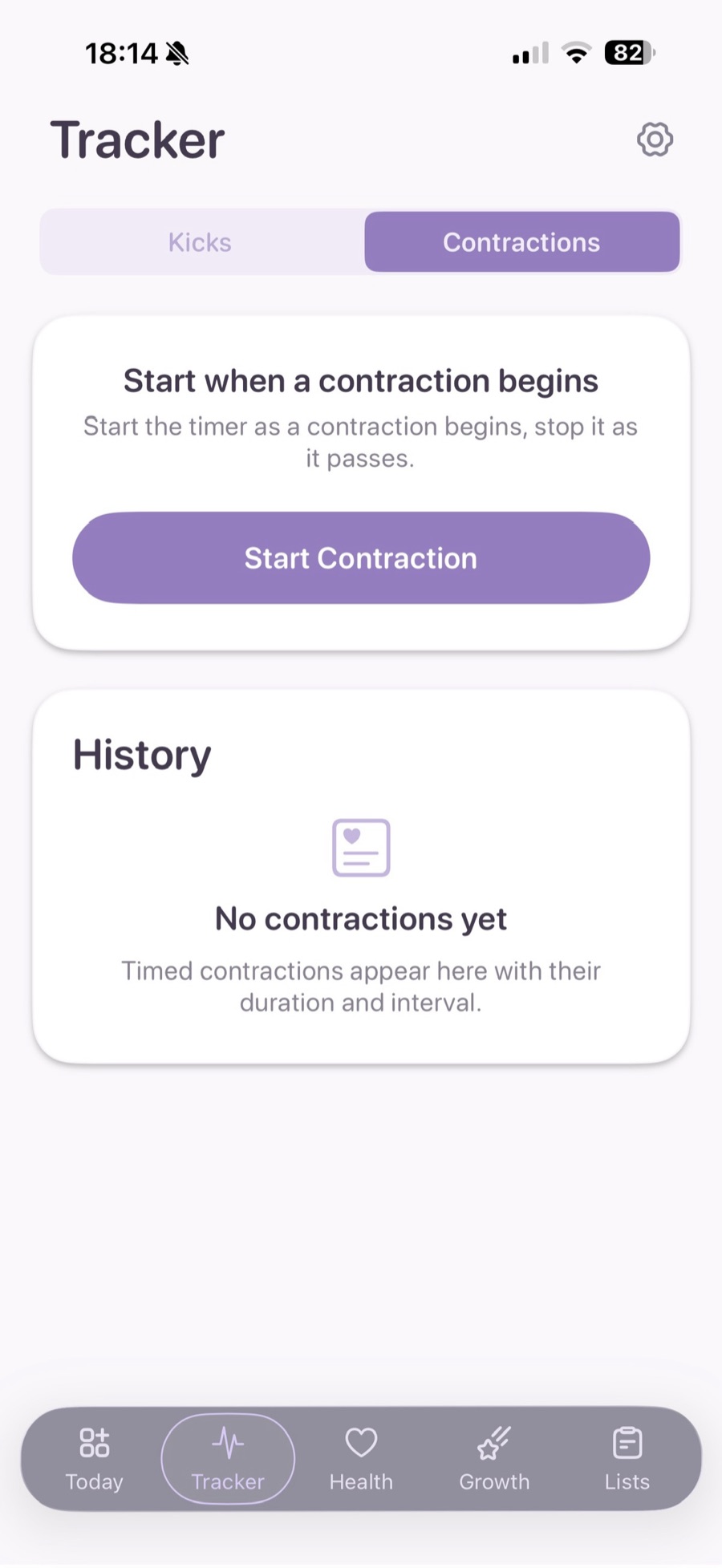
Two stopwatches: a kick counter with a tap target and a session history, and a contraction timer with live averages.
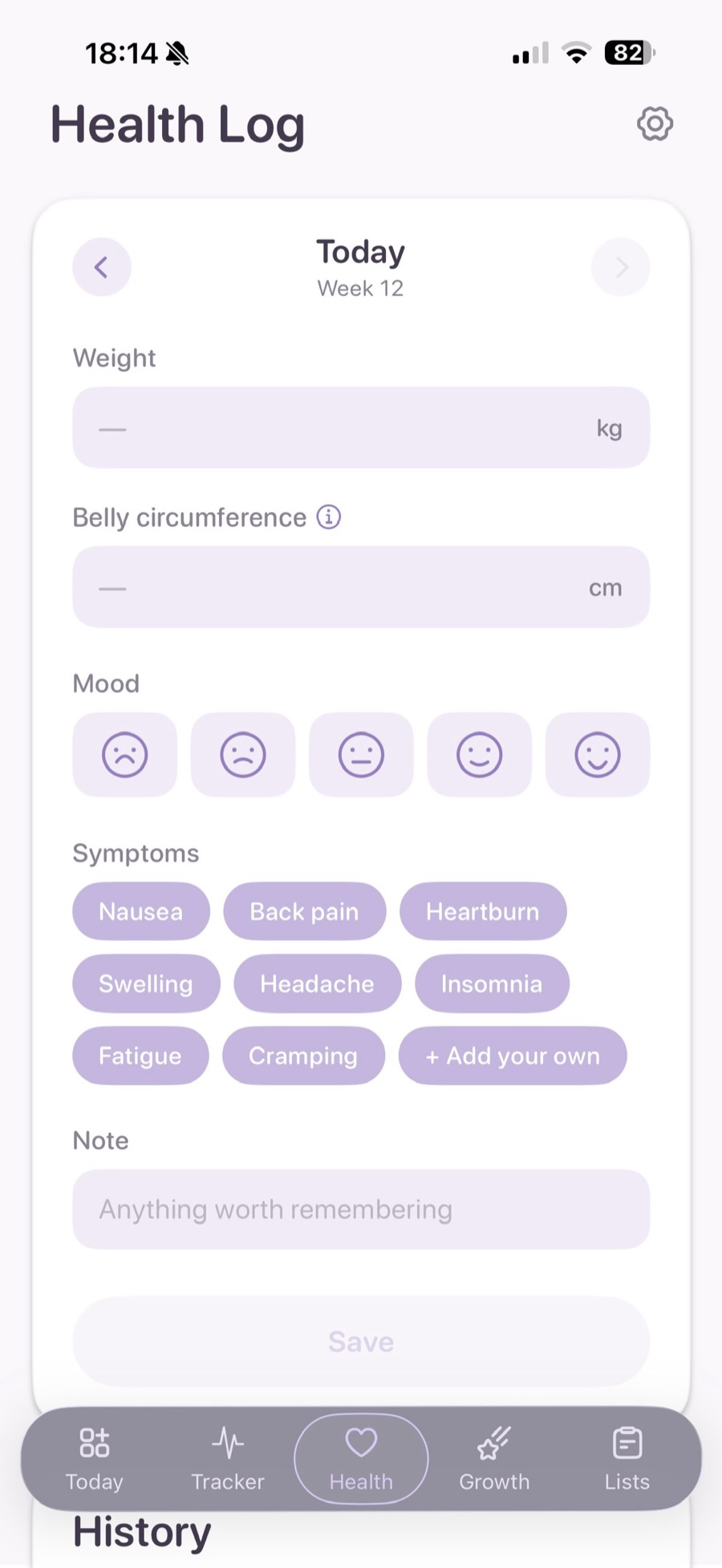
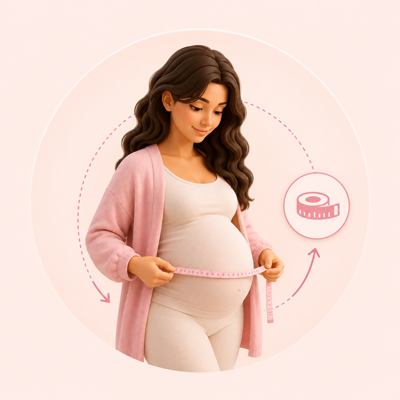
One entry a day. Weight, belly circumference, mood, symptoms and a note - with trend charts and a PDF for your appointment.
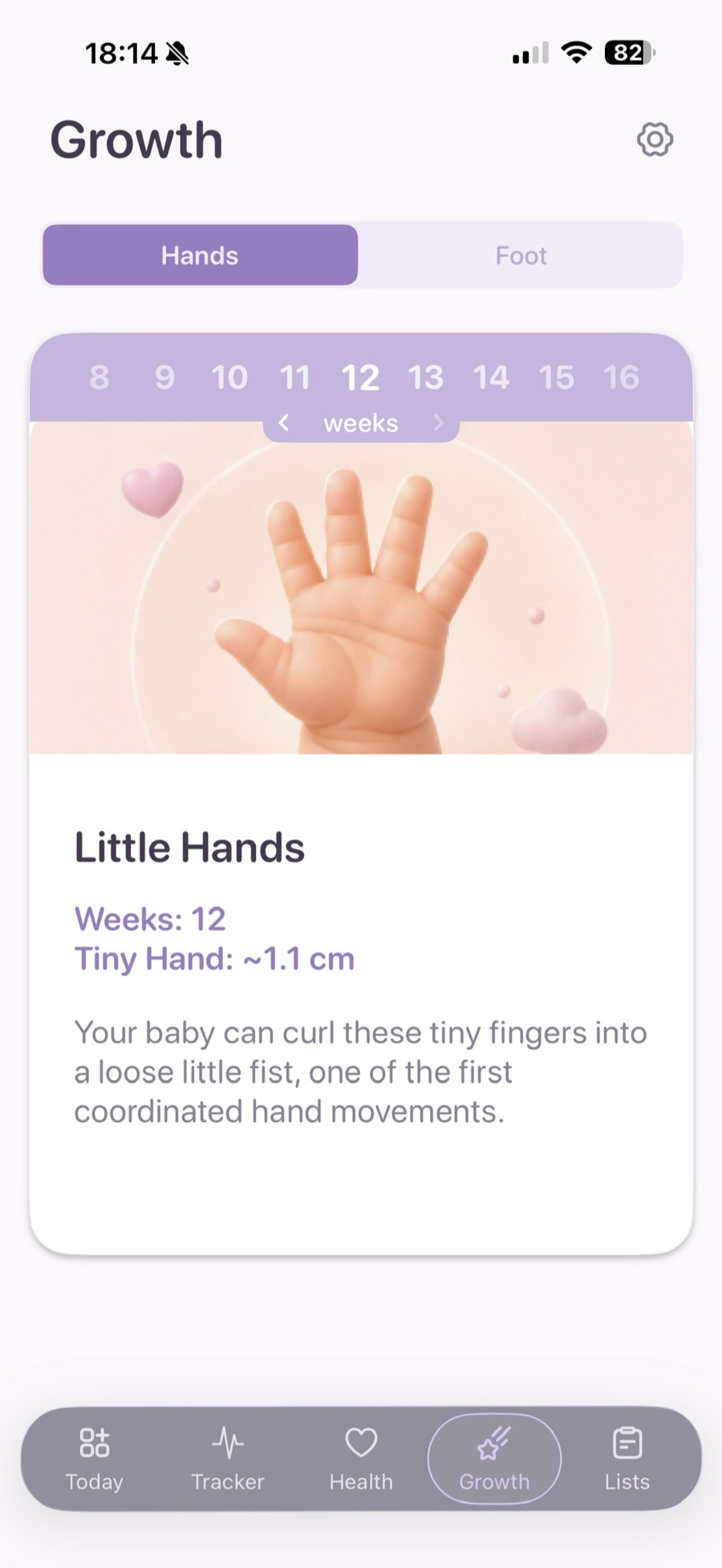
Little hands and little feet, week by week, with the measurement for the week you are looking at and a line about what changed.
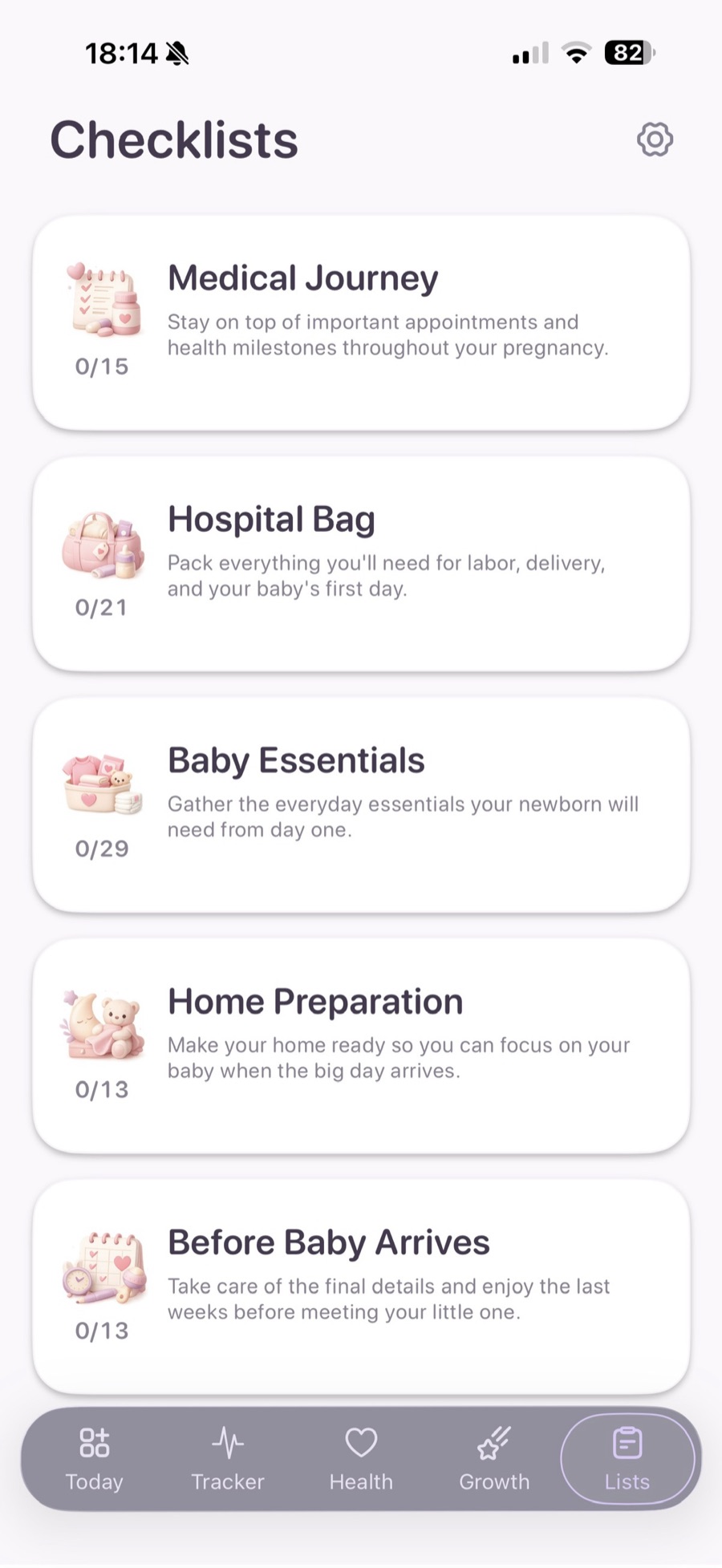
Five topics, 91 items, from the medical journey to the hospital bag - and room to add your own to any group.
Tracker
Feel closer to your baby as they move and grow. The first tap starts a session, every tap after it records a movement, and a breathing ring around the target tells you the session is live. Count freely and end it yourself, or let it close on the tenth kick.
The contraction timer is the other half of the tab: start and stop each contraction and watch the live duration, the time since the last one, and the average duration and interval over the trailing hour. Intervals are always worked out from the timestamps, so deleting a row can never leave a stale number behind.

Health Log
One entry per calendar day, and every field independently optional - logging only a mood is a complete entry. Weight, belly circumference, a five-point mood drawn as faces, symptom chips you can add to, and a note for anything worth remembering.
Measurements are always stored in metric and converted where they are shown, so a trend chart can never plot 70 kg next to 154 lb. Clearing every field on a day deletes it rather than saving a blank one, which keeps the charts honest.
Growth
Two body parts behind one switcher, with the measurement for the week you are viewing in your own units and a short line about what has just changed. Week 20, for instance: unique fingerprints have already formed on each tiny fingertip, patterns your baby will keep for life.
The same week strip as the Today card browses back through the weeks you have already been. All 41 weeks carry both body parts, in all 12 languages.

Checklist
From contractions to hospital bags and baby essentials, LuluBoo helps you keep everything in one simple place. Five bundled topics and 91 items, grouped under headers that carry their own done-out-of-total counter.
Tick things off, and add your own item to any group by typing it at the end of the list. Only the ticks are stored, keyed to a stable id - so a later release can add or reword an item without losing anything you have already checked.



Home Screen
Keep your pregnancy journey on your Home Screen with widgets. See your week, baby’s growth, and updates.
Countdown
Week 20
147 days until you meet
Baby size

Prairie dog
What your baby is the size of this week
Measurements
Estimates - every baby grows at their own pace.
Localization
Pick a language by its own name in Settings and the whole app redraws immediately - the open panel included. The widgets follow the same choice.
Interface strings, all 41 weeks of writing, every measurement and the whole checklist are translated - not just the buttons. Month names and numbers follow the language you chose; the clock format and the first day of the week stay your phone’s.
Privacy
LuluBoo has no backend. There is no account, no login, no sync and no server belonging to this product. Everything you enter stays in the app’s own storage on your device.
The only thing that ever leaves your phone is what is needed to sell and validate the subscription, handled by Adapty and by Apple - and whatever you yourself choose to send through the iOS share sheet.
Free and premium
LuluBoo is free to download, and the signature feature is free to keep using.
No account, no card, no time limit.
An auto-renewing subscription, billed through your Apple ID.
Prices, durations and any trial or introductory offer are shown on the purchase screen in the app before you confirm, and vary by storefront. Subscriptions renew automatically unless auto-renewal is turned off at least 24 hours before the period ends; manage or cancel at any time in your App Store account settings. See the Terms of Use.
Questions
No. There is no sign-up, no login and no user account of any kind. The app asks for three things once - an optional first name, how your pregnancy is dated, and your units - and never asks again. All three stay editable in Settings.
You choose one of four ways to say how far along you are: the first day of your last period, the date of conception, an ultrasound scan and the age it reported, or a due date your doctor has already given. LuluBoo stores that answer in the shape you gave it - never a week number - and derives everything else from it, so the count advances on its own.
Weeks are numbered the way people say them out loud: 21 weeks and 3 days reads as week 22, and the due date itself falls in week 41.
No. LuluBoo is an iPhone app and needs iOS 17.6 or later. There is no Android, iPad or web version.
Not by LuluBoo. Neither of the app’s two storage locations is configured for iCloud sync, and there is no server to sync to. If you use Apple’s own iPhone backup, that backup may include the app’s data as it would for any app - that is your device’s feature, not something LuluBoo initiates.
Deleting the app removes your data with it. On some iOS configurations the shared container that lets the widgets read your profile can persist briefly, so a reinstall may still find your name, dating method, units and language; your Health Log, kicks, contractions and checklist live in the app’s own private container and go with it. If you want to keep a copy of what you recorded, export the PDF reports first.
Open Settings › Restore Purchases in the app. It reapplies an active subscription tied to your Apple ID and tells you plainly which of the three things happened: restored, nothing to restore, or failed.
No, and it never tries to. LuluBoo is not a medical device and gives no diagnosis, no medical advice and no clinical interpretation. The weekly content is general educational writing, and the numbers - the due date, the countdown, the weekly estimates - are estimates from your dating method and an average 280-day term, not a clinical assessment. If anything concerns you, contact your care provider.
LuluBoo is published by Frontetica Ltd. Write to [email protected] for anything at all - support, privacy questions or feedback.

One last thing
No complicated setup. No unnecessary steps. Just open LuluBoo and enjoy your pregnancy journey.
Questions before then? Write to [email protected].